Personal project · Windows
Prisma.
Overview
I built Prisma to save myself the €30 a month for Loom. I wanted to record my screen, appear in a camera bubble and explain my projects with a tool of my own. The result is a Windows desktop application, free for non-commercial use, that saves videos on my computer.
It records an entire screen, a window or a selected area, with camera, microphone and system audio. I can choose the resolution and frame rate, adjust the camera bubble and customise the background, margins and corners. Cursor zoom and click highlights make explanations easier to follow.
I can also use my phone as a camera and microphone through VDO.Ninja: I open a link in the phone browser and connect it to Prisma over the Internet. A floating widget, keyboard shortcuts and a teleprompter let me control the recording and follow a script without losing my place.
I integrated local Whisper transcription with TXT and SRT export. After downloading the model, transcription works offline. Videos are saved as WebM; MP4 export requires FFmpeg. Alongside the application, I designed its website with a guided tour through real screenshots and an .exe installer so anyone can get started on Windows without programming tools.
How it was built
- 01Electron
- 02JavaScript · HTML · CSS
- 03Python
- 04Whisper
- 05VDO.Ninja
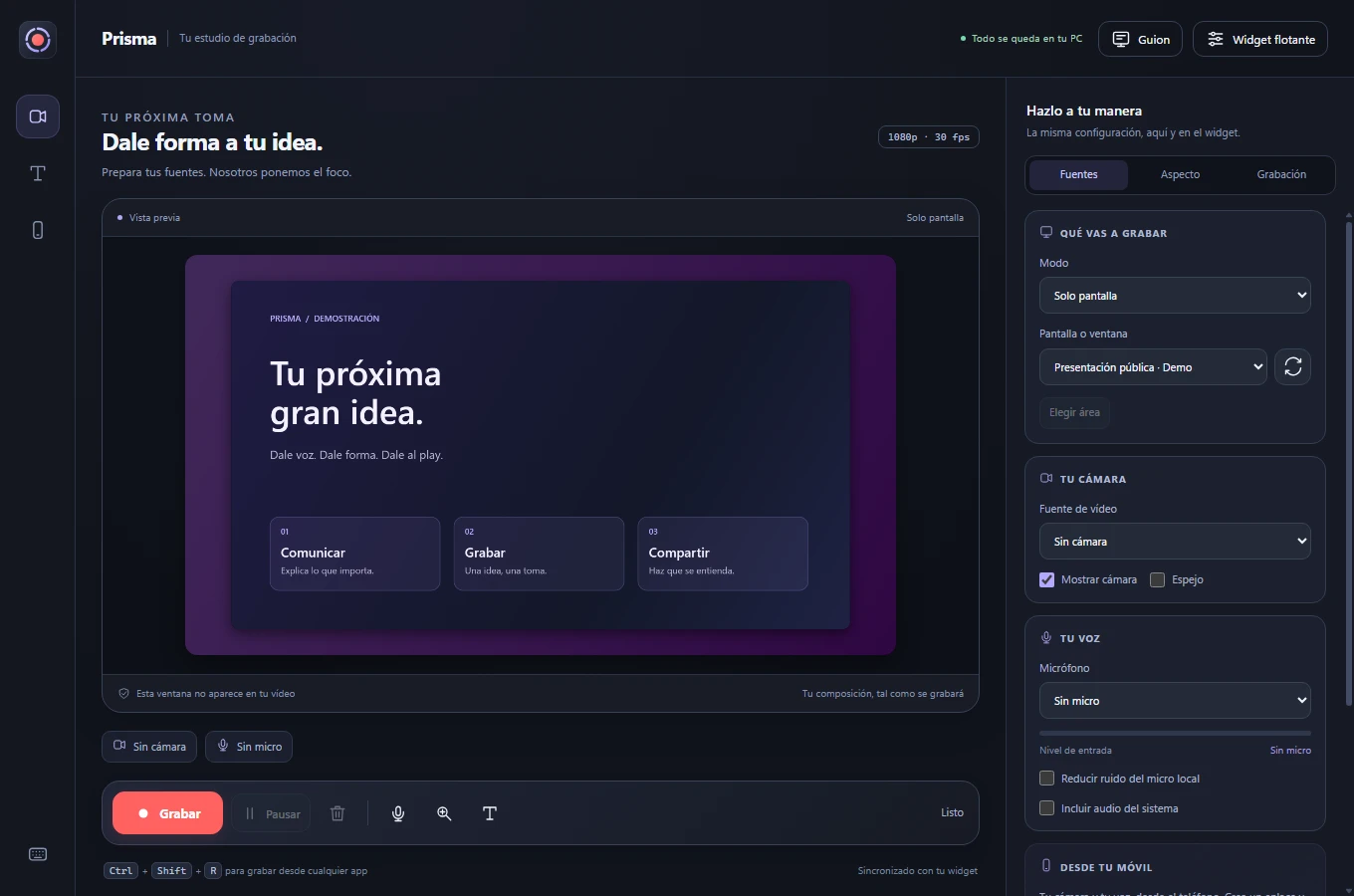
Real Prisma screenshots · the cover uses demo content. Phone connection and transcription are shown before starting.
✓ Result
“My own tool for recording and explaining projects, without the €30 monthly subscription I wanted to avoid.”